
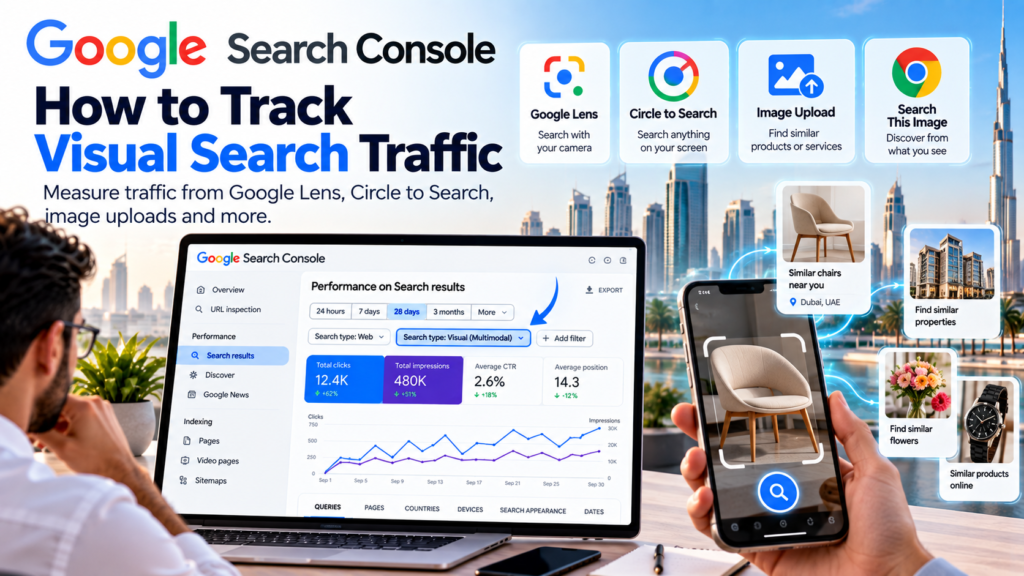
Search is becoming more visual.
People are no longer finding businesses only by typing keywords into Google. They are also using Google Lens, Circle to Search, image uploads, screenshots, and other multimodal search tools to find products, places, services, and information from what they see on their screens or through their phone cameras.
That makes visual search traffic increasingly important for website owners.
Google has now made that traffic easier to measure. On September 24, 2026, Google announced new multimodal Search performance reporting inside Search Console. The reporting includes searches from Google Lens, Circle to Search on Android, image uploads to Google Search, and Chrome’s “Search this image” feature. Google for Developers
For UAE businesses, this opens a new question:
Are people discovering your website through images even when they never typed your brand name?
This guide explains how to track visual search traffic in Google Search Console, what the new report shows, and how to use that information to improve your website.
What Is Visual Search Traffic?
Visual search traffic is traffic that comes from searches where an image plays a central role in the query.
Instead of typing:
black office chair Dubai
a user may upload a photo of a chair and ask Google to find something similar.
Instead of searching:
modern flower arrangement Sharjah
they may see a bouquet on social media, use Circle to Search, and look for similar products.
Google says its new Search Console reporting can include traffic generated through:
- Google Lens
- Circle to Search
- Image uploads to Google Search
- Chrome “Search this image” Google for Developers
That means website owners can now see a clearer picture of how visual discovery contributes to traffic.
Why Visual Search Traffic Matters for UAE Businesses
Visual search is especially relevant for businesses where customers make decisions based partly on appearance.
Examples include:
- Fashion
- Furniture
- Interior design
- Real estate
- Clinics
- Beauty businesses
- Florists
- Restaurants
- Automotive
- Ecommerce
- Printing
- Branding
- Hospitality
A customer may not know the product name.
They may only know what it looks like.
That is where visual search helps.
Google has also expanded Circle to Search so users can search multiple objects in the same image at once. For example, a full outfit can be broken down into separate clothing items, accessories, and shoes. Google says shopping-related searches are among the most common uses of Circle to Search. blog.google
For businesses, that means one image can create several discovery opportunities.
1. Open the Performance Report in Search Console
The first step is straightforward.
Open Google Search Console.
Go to:
Performance → Search results
Google has added a new multimodal search type filter to the performance reports. Google for Developers
If your website is receiving this type of traffic, you should begin seeing data there.
The report is rolling out globally, so availability may depend on whether your site has actually received multimodal search activity.
2. Apply the Multimodal Search Filter
Inside the performance report, use the new multimodal search type filter.
This lets you isolate traffic coming from visual search experiences rather than mixing it with all ordinary web search traffic.
Google says the same multimodal reporting is also being added to its Generative AI features report. Google for Developers
This is useful because it gives you a cleaner view of:
- Clicks
- Impressions
- Pages
- Queries
- Countries
- Devices
for visual search traffic specifically.
3. Check Which Pages Are Getting Visual Search Traffic
Once the filter is active, go to the Pages tab.
Look at which URLs are receiving impressions or clicks.
This can reveal something important.
You may discover that a page you did not consider especially important is getting visual discovery.
For example:
A florist may find that bouquet pages receive strong Lens traffic.
A clinic may discover that treatment pages with clear before-and-after imagery attract visual searches.
A furniture company may see product-detail pages appear in image-based queries.
A branding agency may see portfolio pages surfaced through screenshots or image search.
This can help you understand what kind of visual content Google associates with your business.
4. Check the Queries Behind Visual Search
Next, look at the Queries tab.
This can show the language people use around the images they search.
Visual search does not always mean “image only.”
Google Lens and multimodal search can combine images with text.
Someone may upload a photo and ask:
where can I buy this in Dubai?
or:
similar bouquet in Sharjah
or:
what material is this?
Google has been expanding multimodal Search so users can combine images and natural-language questions. AI Mode can analyze images, understand objects, materials, colors, and shapes, then return relevant results. blog.google
Those query patterns are valuable because they reveal how users describe what they see.
5. Compare Visual Search Traffic With Normal Search Traffic
Do not look at the new report in isolation.
Compare:
Normal Search traffic
with:
Visual search traffic
You may notice different pages performing in each.
For example:
Your homepage may dominate normal branded searches.
But your product images or portfolio pages may dominate visual searches.
That tells you the two channels behave differently.
This can help you decide where to invest.
If a page performs strongly in visual search but poorly in normal text search, that may be perfectly fine.
Its job may simply be different.
6. Look at Device Data
Visual search is naturally mobile-heavy.
Google Lens and Circle to Search are built around smartphone usage.
Circle to Search, for example, lets users search anything visible on their Android screen without switching apps. Google says the feature now supports multiple-object search in a single image. blog.google
So when reviewing the report, check device performance.
If most visual search traffic comes from mobile, ask:
- Does the page load quickly?
- Is the image large enough?
- Is the CTA visible?
- Can someone contact you easily?
- Is WhatsApp easy to access?
Getting visual search impressions is useful.
Converting that traffic is more important.
7. Export the Data for Deeper Analysis
Google specifically recommends using the Export option if you want to analyze the data elsewhere. Google for Developers
You can export to:
- Google Sheets
- Excel
- CSV
Once exported, you can compare:
- Visual traffic by page
- Click-through rate
- Impressions
- Countries
- Devices
- Time periods
You can also combine this with website analytics or lead data.
For example:
A page may get a lot of visual-search impressions but no enquiries.
Another page may receive fewer impressions but more WhatsApp leads.
That distinction matters.
8. Track Visual Search by Country
For UAE businesses, geography is important.
A website may receive visual search traffic from:
- UAE
- Saudi Arabia
- Oman
- India
- Pakistan
- UK
- Other markets
If you serve only the UAE, traffic from other regions may be less commercially useful.
But if you sell online or operate internationally, visual search can reveal new markets you were not actively targeting.
Use the Countries report to understand where demand is coming from.
9. Improve Images That Already Perform
Once you know which pages are getting visual search traffic, improve the images on those pages.
Focus on:
- High resolution
- Clean backgrounds
- Accurate filenames
- Descriptive alt text
- Fast loading
- Relevant surrounding content
- Clear product or service context
Do not replace successful images without a reason.
Instead, improve the page around them.
If an image is already generating visibility, that is a signal that Google understands it well enough to surface it.
10. Use Better Image Alt Text
Alt text helps describe an image.
It should be clear and useful.
Bad alt text:
image123
Better:
premium flower bouquet delivery in Sharjah
or:
modern clinic reception interior in Sharjah
or:
NFC business card UAE on office desk
Avoid stuffing keywords unnaturally.
Alt text should primarily describe what is actually shown.
For FAMS Solutions, image alt text can help reinforce context around services such as:
- Website design
- Printing
- Branding
- NFC business cards
- Digital marketing
11. Make Your Images Contextually Relevant
Google does not evaluate an image completely on its own.
The surrounding page matters.
A high-quality image on a weak, unrelated page may be harder to understand.
For example, if you have a photo of business cards, the page should clearly explain:
- Printing service
- Card type
- Quantity
- Material
- Finish
- Location
That gives Google stronger context.
The same applies to products, clinics, real estate, and services.
12. Visual Search Can Support Local Discovery
Multimodal search can also have local intent.
A user may search a product image and add:
near me
or:
Sharjah
Google has supported combining images with text through multisearch for several years, including local refinement. blog.google
That makes visual optimization particularly useful for businesses with physical locations.
Examples:
- Florists
- Clinics
- Restaurants
- Furniture stores
- Car dealers
- Salons
- Retailers
For these businesses, strong product or service imagery can support both discovery and local intent.
13. Visual Search Is Becoming More Important in AI Mode
Google Search itself is becoming more visual.
AI Mode can understand images and answer questions about them.
Google says its visual systems can analyze an entire image, recognize primary and secondary objects, and use multiple related searches to understand the broader context. blog.google
This matters because image optimization is no longer only about Google Images.
Your images may now help surface your website across:
- Lens
- Circle to Search
- AI Mode
- Standard Search
- Shopping results
That makes visual SEO part of broader search strategy.
14. Product Businesses Should Pay Particular Attention
Visual search is especially valuable for ecommerce.
A user may not know:
- Product name
- Model
- Brand
- Style
They may simply see something and want it.
Google says Circle to Search is heavily used for shopping-related discovery, and newer updates let users identify multiple products from one image. blog.google
For ecommerce sites, make sure product pages include:
- Clear product photos
- Multiple angles
- Accurate product titles
- Descriptions
- Price
- Availability
- Structured data
- Product feeds where relevant
This gives Google more information to match the product with visual queries.
15. Service Businesses Can Benefit Too
Visual search is not only for ecommerce.
Service businesses can also benefit.
A user may search:
- An interior design style
- A clinic treatment room
- A printed brochure
- A website screenshot
- A logo
- A business card
- A floral arrangement
That image can lead them to a service provider.
For FAMS Solutions, this creates opportunities around:
- Website design examples
- Branding portfolios
- Business card printing
- Taps NFC cards
- Marketing creatives
A strong visual portfolio can therefore support both branding and organic discovery.
How FAMS Solutions Can Use Visual Search Data
At FAMS Solutions, visual search data can help identify which creative assets already attract discovery.
For example:
If business-card images perform well, that can support your Printing Services UAE page.
If Taps NFC card images receive visual search traffic, that can support content around digital business cards.
If website screenshots attract impressions, that can strengthen your web-design portfolio and service pages.
You can also connect this article to your existing:
and:
That creates a broader content cluster around modern search visibility.
What Should You Measure?
Do not look only at impressions.
Track:
- Visual search impressions
- Visual search clicks
- Click-through rate
- Pages receiving traffic
- Countries
- Devices
- Leads from those pages
Then ask:
Did the visual traffic produce business?
That is the final goal.
A page with 50,000 impressions but no enquiries may need stronger conversion elements.
A page with only 2,000 impressions but regular leads may be far more valuable.
Common Visual Search Mistakes
One mistake is using low-quality images.
Another is uploading images without descriptive filenames or alt text.
Another is placing images on pages with almost no useful written content.
Businesses also sometimes use stock images that look good but have little connection to the actual service.
Real product photos, real projects, real locations, and original visual content are often more useful.
Final Thoughts
Visual search traffic is becoming easier to measure, and that is important because search itself is becoming more visual.
Google’s new multimodal reporting gives website owners a better view of traffic from Lens, Circle to Search, image uploads, and other image-based search experiences.